Support: Difference between revisions
Numberformat (talk | contribs) |
Numberformat (talk | contribs) No edit summary |
||
| (65 intermediate revisions by the same user not shown) | |||
| Line 1: | Line 1: | ||
= Product Documentation = | = Product Support & Documentation = | ||
{| class="wikitable" style="width: 100%;" | |||
|- style="text-align:center;" | |||
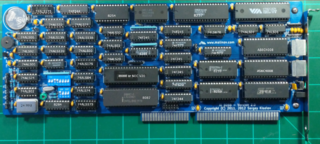
|<span style="font-size:150%">[[Xi8088_Version_2.0|Xi 8088 IBM PC/XT Compatible Processor Board]]</span> | |||
Build your own IBM compatible PC. <br/>Click on the image below to learn more. | |||
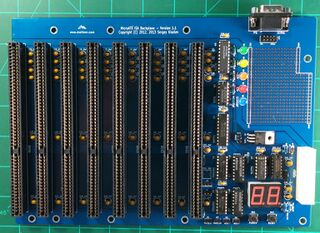
|<span style="font-size:150%">[[ISA Backplane]]</span> | |||
This backplane can be used with the XI8088 and many other single board computers. | |||
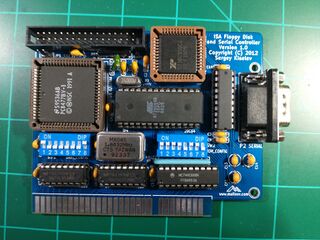
|<span style="font-size:150%">[[ISA Floppy Disk and Serial Controller]]</span><br/> | |||
This ISA Floppy Disk and Serial Controller card supports up to two floppy drives. | |||
|- style="vertical-align: top;text-align:center;" | |||
|[[File:Xi_8088_-_Complete_Board.png|320px|link=Xi8088_Version_2.0]] | |||
|[[File:Isa-backplane.jpg|320px|link=ISA_Backplane]] | |||
|[[File:floppy-controller-assembled.jpg|320px|link=ISA Floppy Disk and Serial Controller]] | |||
|- style="vertical-align: top;text-align:center;" | |||
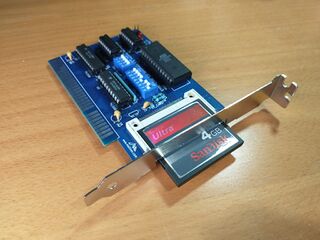
|<span style="font-size:150%">[[XT-CF-Lite V4]]</span><br/> | |||
This card replaces a physical hard drive with a Compact Flash (CF)<br/> | |||
card acting as a solid state disk. | |||
|<span style="font-size:150%">[[Opl2|OPL2 Adlib Compatible Sound Card]]</span> | |||
This sound card is compatible with the AdLib Music Synthesizer <br/>that was very popular in late 80's - early 90's. | |||
|<span style="font-size:150%">[[Retro Pie Instructions]]</span><br/> | |||
This page shows how to setup your brand new SD card for the first time. | |||
|- style="vertical-align: center;text-align:center;" | |||
|[[File:Xt-cf-lite-v4.jpg|320px|link=XT-CF-Lite V4]] | |||
|[[File:Opl2_sound_card_small.jpg|320px|link=opl2]] | |||
|[[File:Retro-pie-logo.JPG|320px|RetroPie Logo|link=Retro Pie Instructions]] | |||
|} | |||
= Software Development = | |||
{| class="wikitable" style="width: 100%;" | |||
|- style="text-align:center;" | |||
|<span style="font-size:150%">[[FreeDOS 1.3 Installation | FreeDOS 1.3 Installation]]</span> | |||
This page shows how to install FreeDOS 1.3 <br/>on an Xi8088 machine that has a Floppy and a Hard Drive<br/> | |||
|<span style="font-size:150%">[[Quick_Reference_Utility | Quick Reference Utility by David Jurgens]]</span> | |||
The information found here is distilled knowledge of many <br/> | |||
thousands of pages of Programmer reference material for the <br/> | |||
IBM PC and compatible computers from the 80s and 90s<br/> | |||
|<span style="font-size:150%">[[Open-source_Development_for_16-bit_machines|16-bit Development Environment Setup on Windows 10]]</span> | |||
This page shows how to setup a 16-bit development environment <br/>on Windows 10 targeting the 80x86 architecture <br/> | |||
|- style="vertical-align: center;text-align:center;" | |||
|[[File:Freedos_mascot.png|320px|link=FreeDOS 1.3 Installation]] | |||
|[[File:Quick_ref_util.png|320px|link=Quick_Reference_Utility]] | |||
|[[File:Hello_borland.png|320px|link=Open-source_Development_for_16-bit_machines]] | |||
|- style="vertical-align: top;text-align:center;" | |||
|<span style="font-size:150%">[[Programming Tutorials]]</span> | |||
|<span style="font-size:150%">y</span> | |||
|<span style="font-size:150%">z</span> | |||
|- style="vertical-align: center;text-align:center;" | |||
|[[File:placeholder.jpg|320px]] | |||
|[[File:placeholder.jpg|320px]] | |||
|[[File:placeholder.jpg|320px]] | |||
|} | |||
= Misc = | |||
Retro computing is the use of vintage computers and video game consoles, typically from the 1980s and 1990s. It is a hobby that involves collecting, restoring, and playing with these older systems, both as a means of nostalgia and to learn more about the history of technology. Many retro computing enthusiasts build home-made computers and develop software and games for them, while others collect and preserve original systems.. | |||
{| class="wikitable" style="width: 100%;" | |||
|- style="text-align:center;" | |||
|<span style="font-size:150%">[[Retro Consoles and Games]]</span> | |||
<br/> | |||
|<span style="font-size:150%">[[Retro Computers]]</span> | |||
<br/> | |||
|<span style="font-size:150%">[[Music Database]]</span> | |||
<br/> | |||
|- style="vertical-align: center;text-align:center;" | |||
|[[File:placeholder.jpg|320px]] | |||
|[[File:Tandy1100FD.jpg|320px]] | |||
|[[File:placeholder.jpg|320px]] | |||
|} | |||
Latest revision as of 15:25, 31 December 2025
Product Support & Documentation
| Xi 8088 IBM PC/XT Compatible Processor Board
Build your own IBM compatible PC. |
ISA Backplane
This backplane can be used with the XI8088 and many other single board computers. |
ISA Floppy Disk and Serial Controller This ISA Floppy Disk and Serial Controller card supports up to two floppy drives. |
|
|
|
| XT-CF-Lite V4 This card replaces a physical hard drive with a Compact Flash (CF) |
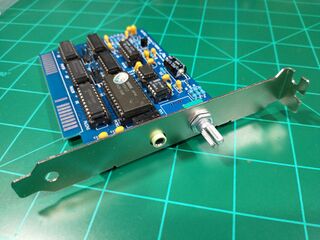
OPL2 Adlib Compatible Sound Card
This sound card is compatible with the AdLib Music Synthesizer |
Retro Pie Instructions This page shows how to setup your brand new SD card for the first time. |
|
|
|
Software Development
| FreeDOS 1.3 Installation
This page shows how to install FreeDOS 1.3 |
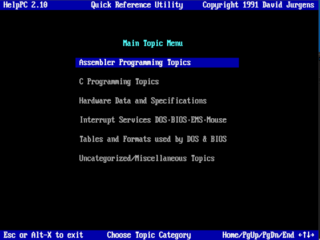
Quick Reference Utility by David Jurgens
The information found here is distilled knowledge of many |
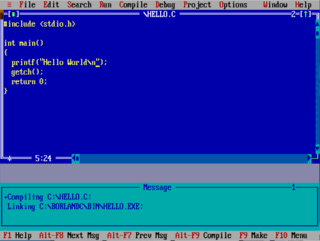
16-bit Development Environment Setup on Windows 10
This page shows how to setup a 16-bit development environment |

|
|
|
| Programming Tutorials | y | z |

|
|
|
Misc
Retro computing is the use of vintage computers and video game consoles, typically from the 1980s and 1990s. It is a hobby that involves collecting, restoring, and playing with these older systems, both as a means of nostalgia and to learn more about the history of technology. Many retro computing enthusiasts build home-made computers and develop software and games for them, while others collect and preserve original systems..
| Retro Consoles and Games
|
Retro Computers
|
Music Database
|
|
|

|
|